
Aviunion v0.2: Calendar Search, Tracking, and What Comes Next
Aviunion v0.2 is live. If you are new here, welcome. This release is less about reworking what was already in the product and more about adding what was missing next: flexible date search, a way to watch fares, accounts so planning sticks around, and a clearer public picture of where the product is headed.
Version 0.1 centered on multi-origin search: two people comparing meetup options from different cities. That workflow is still here, and it will keep getting attention (see the Roadmap). v0.2 widens the scope so Aviunion can help with the rest of real trip planning too: comparing date windows, coming back later, and not starting from zero every time.
What Is New In v0.2
- Track Prices: Save a calendar search and monitor fares over time instead of checking the same route manually.
- Calendar Search: Explore wider departure windows and trip-length ranges before narrowing down to exact dates.
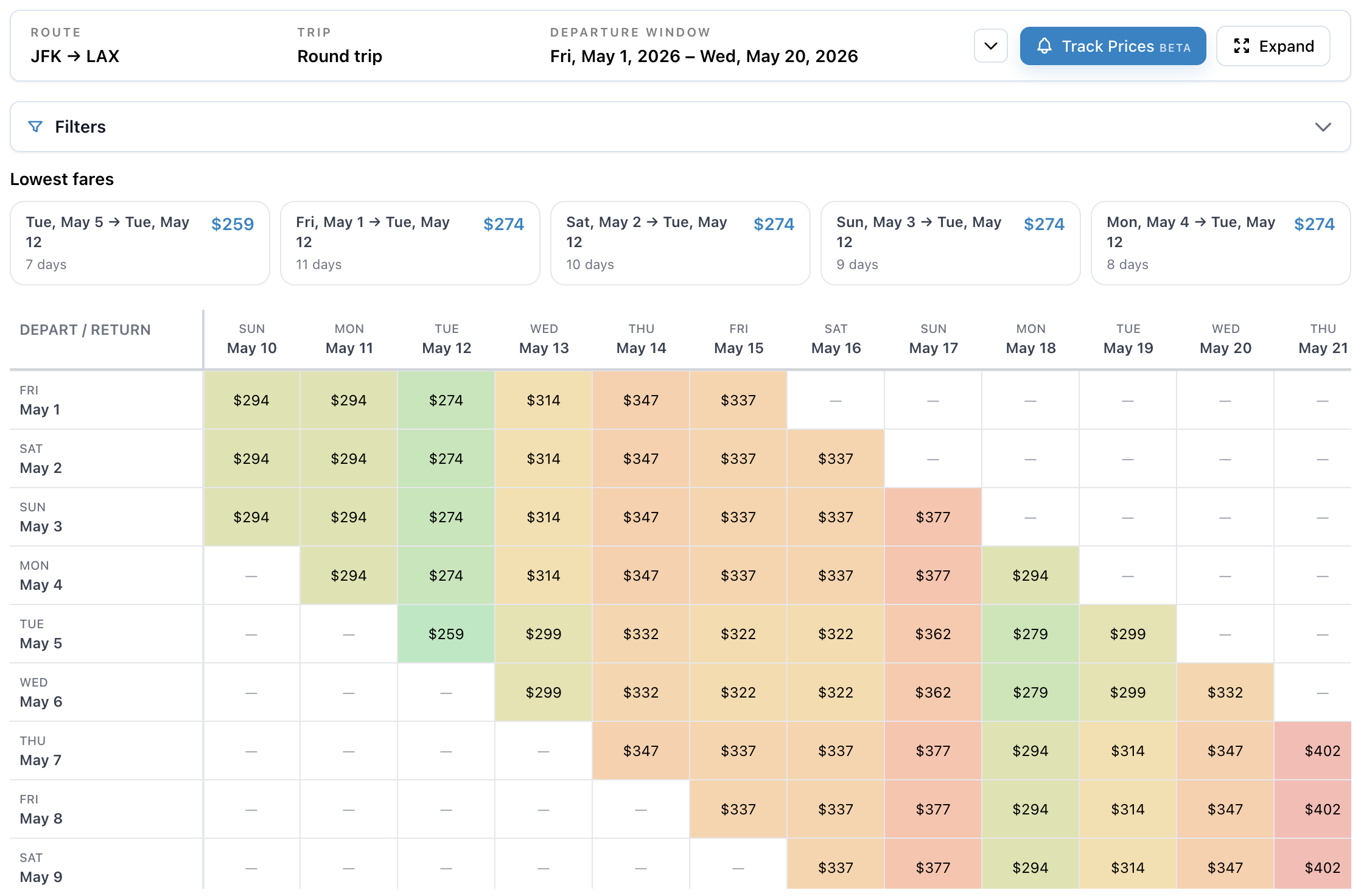
Figure 1: Calendar Search price grid for a sample route, with departure and return dates and color-coded fares. - Daily email updates: Get daily price drop alerts and a separate daily digest for tracked routes.
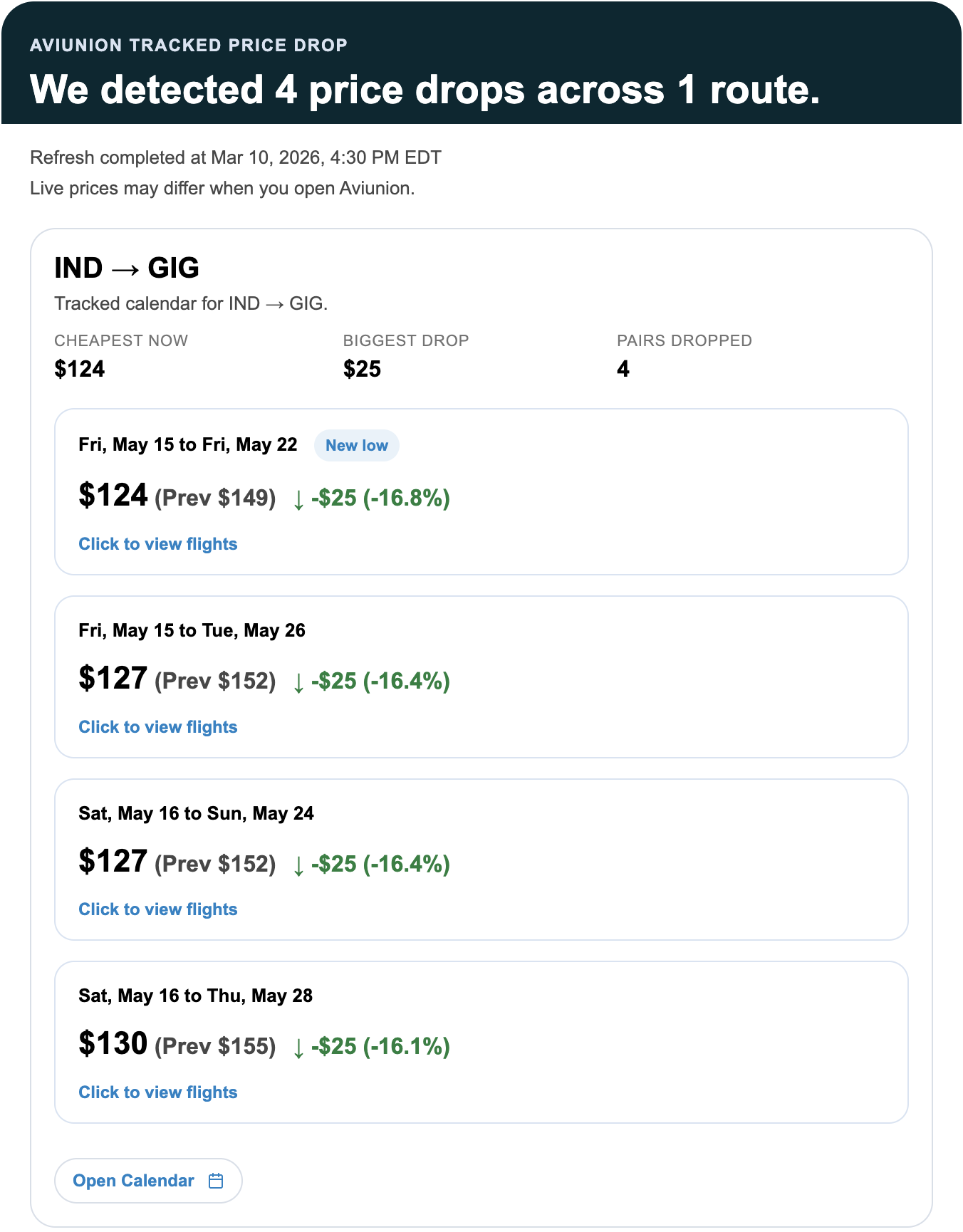
Figure 2: Sample tracked price-drop email summarizing decreases for watched date pairs on a route. 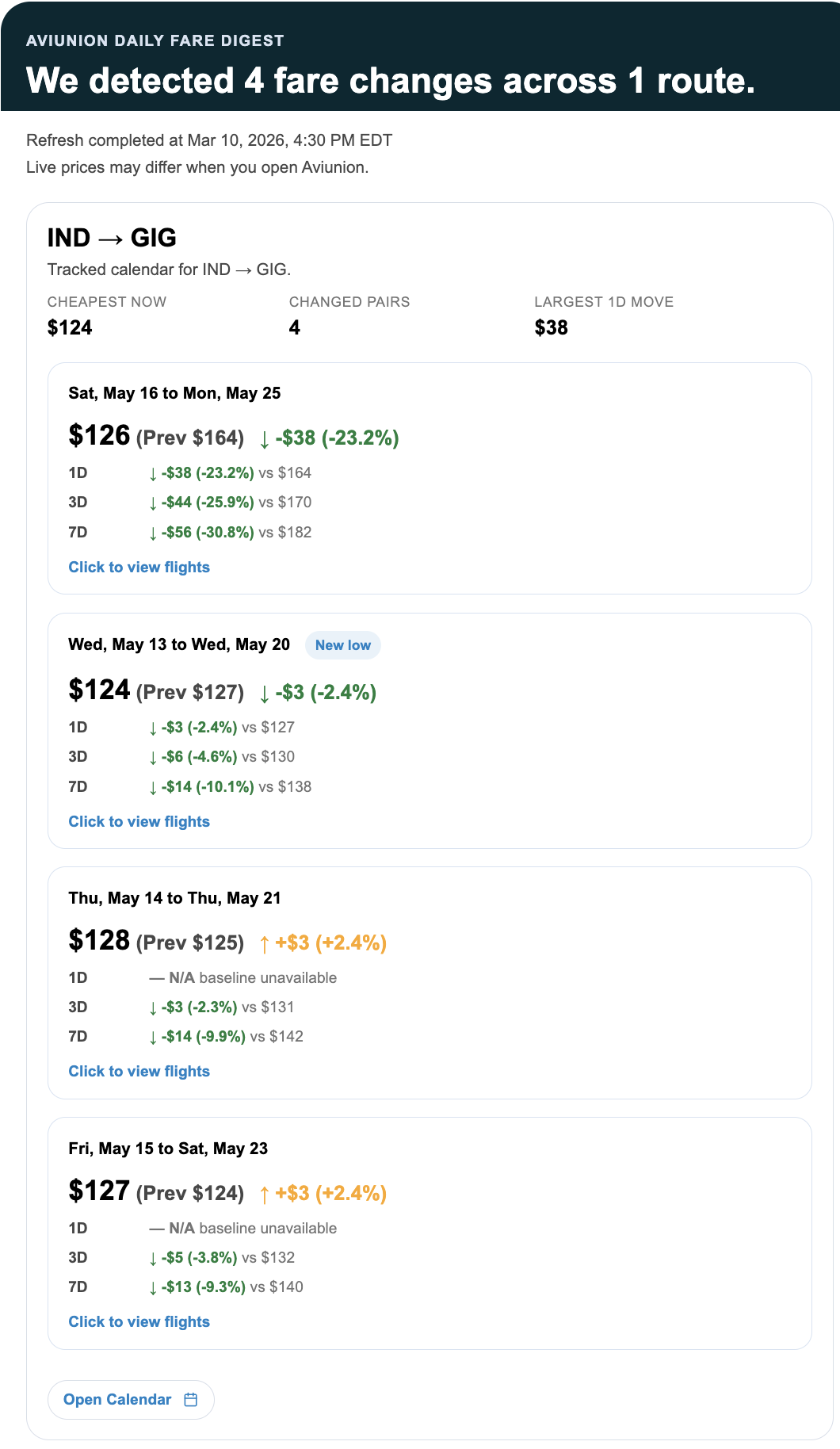
Figure 3: Sample daily fare digest email with fare increases and decreases across tracked combinations. - User accounts: Keep tracked searches, account preferences, and trip tools in one place.
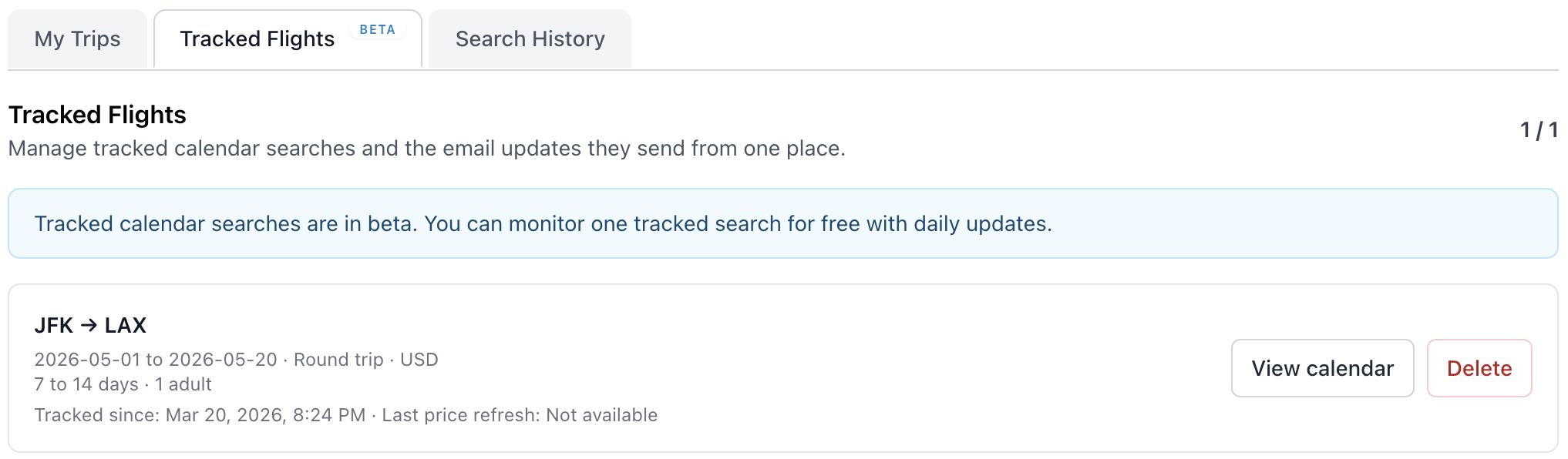
Figure 4: Tracked Flights in your account lists monitored calendar routes, parameters, and refresh metadata in one place. - Search history and repeat searches: Revisit recent calendar and multi-origin searches and jump back into the right tool faster.
- My Trips: Save flights, review trip insights, and visualize your travel history on an interactive map with heatmap mode.
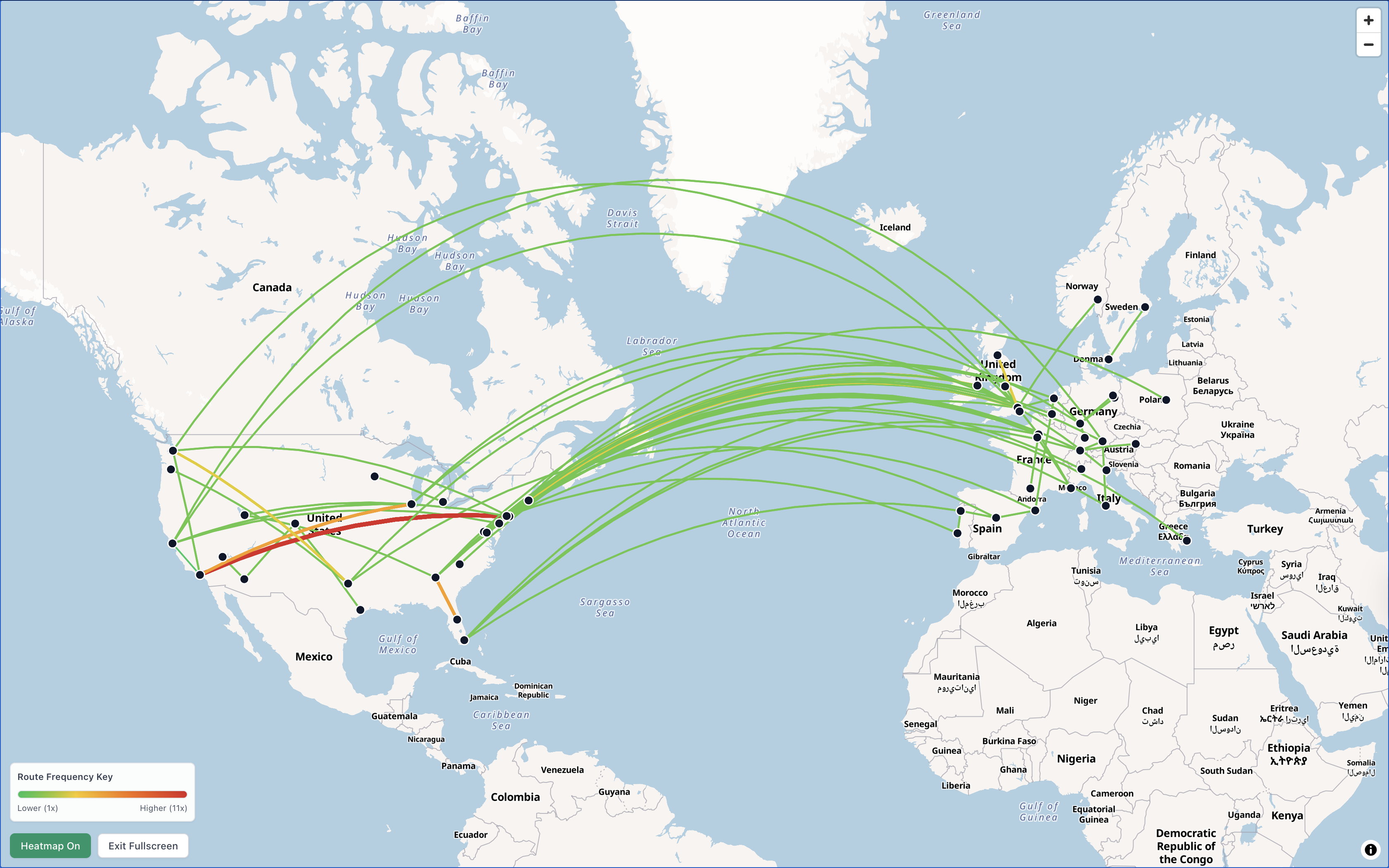
Figure 5: My Trips map view plots saved routes and can emphasize frequently flown segments with heatmap coloring. 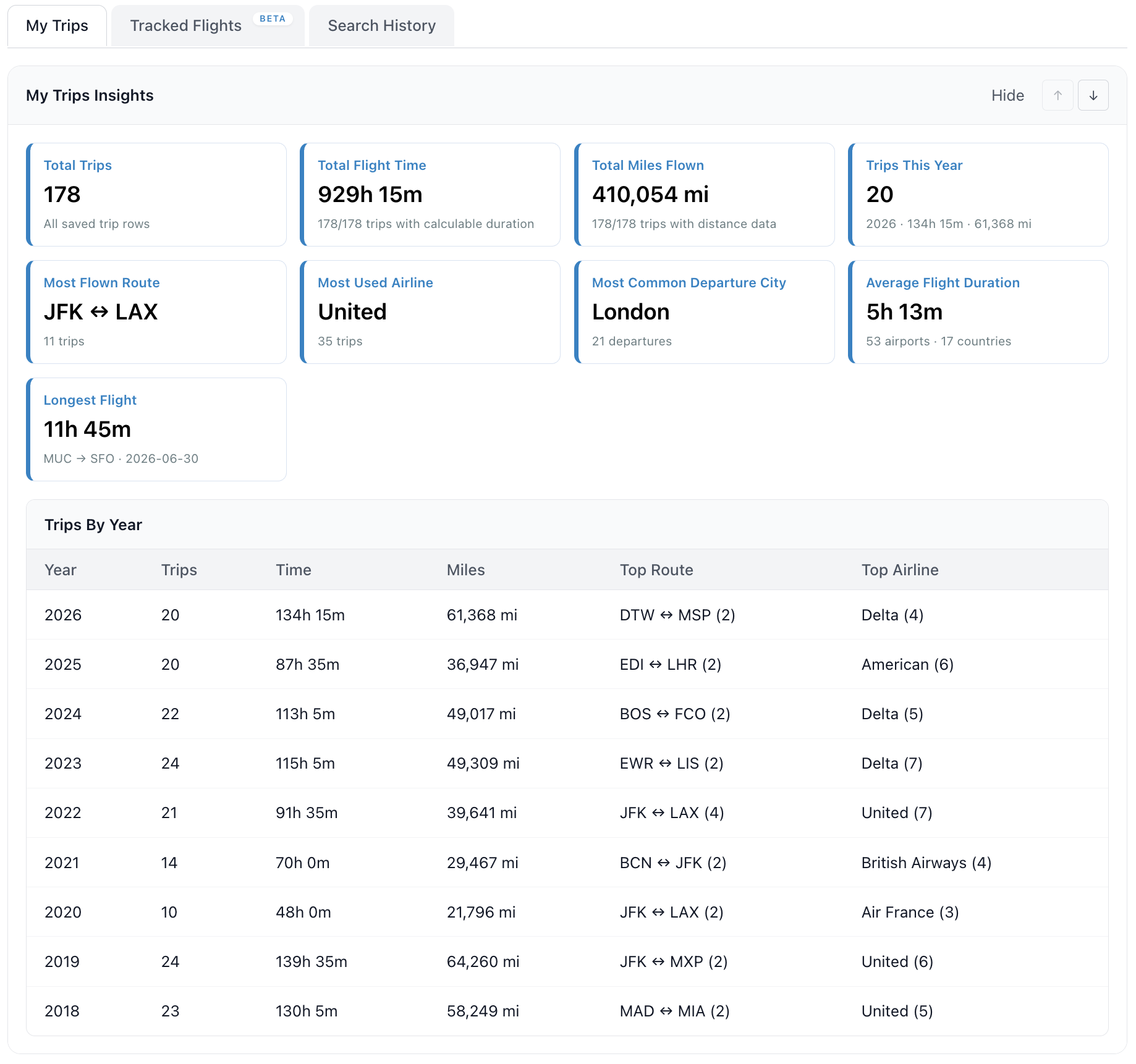
Figure 6: My Trips insights summarize saved trips, flight time, miles, top routes, and a year-by-year breakdown. - Roadmap and voting: See what is shipping, what is under consideration, and vote on what should come next.
- News page: Follow releases, product updates, and feature spotlights in one public place.
Trip planning rarely fits in one sitting. Most flight sites still behave as if you are one traveler picking one date and finishing in a single session. Aviunion is being built to stay useful while you compare options, revisit routes, and narrow things down over time, not only on the first search.
Ready to get started? Create an account now and start tracking your preferred route!